
DiscScout
Measure the throw. Know the bag.
DiscScout measures throws from iPhone or Apple Watch, charts every disc in your bag for your arm speed, and shows where the bag has a gap before you buy another disc.
What it does
From the wrist to the bag
Record from Apple Watch
Mark the start and the landing on your wrist. Each point averages a burst of GPS readings, the next throw starts from the last lie, and a tap undoes a mistake. Watch sessions save to Apple Health as disc sports workouts.
Chart every disc
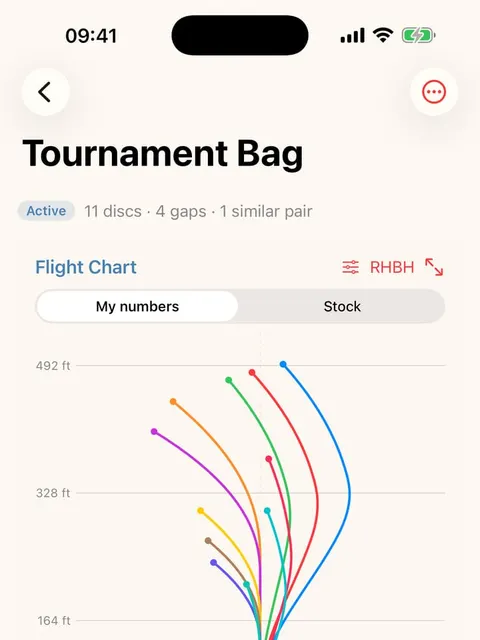
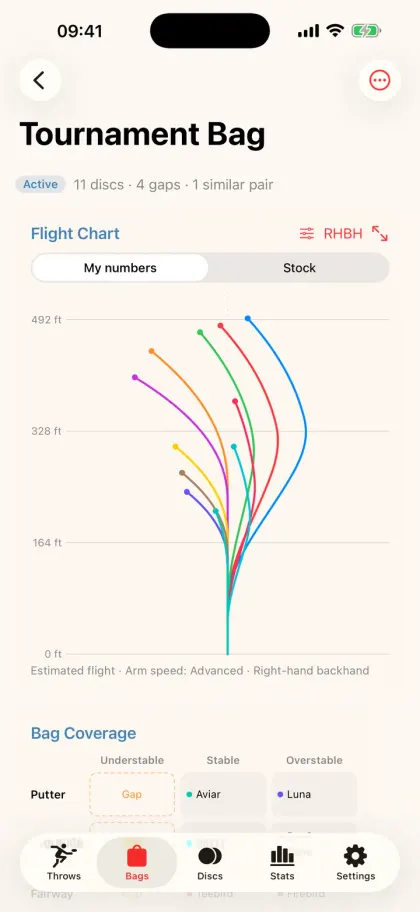
Four arm speeds, four throws, and a line for every disc. Tap one to highlight it and read where it lands. Enter how a beat-in disc actually flies and switch between stock and your real numbers.
See the gaps
A speed-by-stability grid shows what the bag covers, which cells are empty and which discs fly almost the same. Tap a gap to see discs you already own that would fill it.
Plan the throw
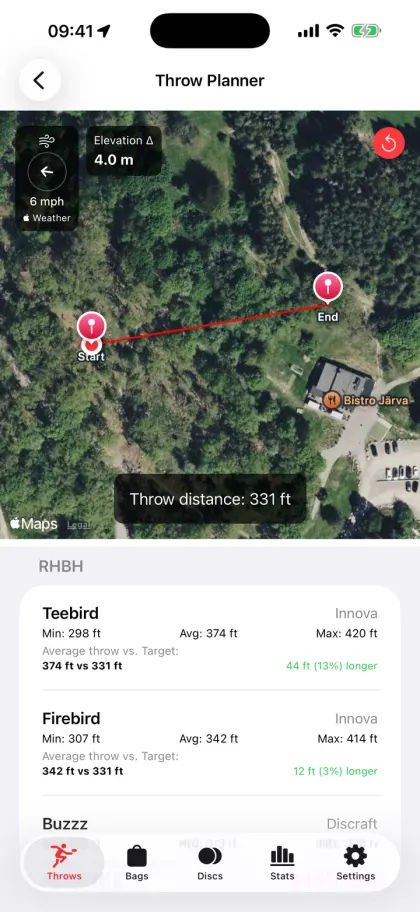
Measure between two points on the map, with the distance, the elevation difference and the live wind. With recorded throws, the planner can suggest which of your discs you have thrown that far.
Screens
The app in use


Also in the app
- Multiple bags, with an active bag the Watch uses as its disc list; duplicate, rename and annotate them.
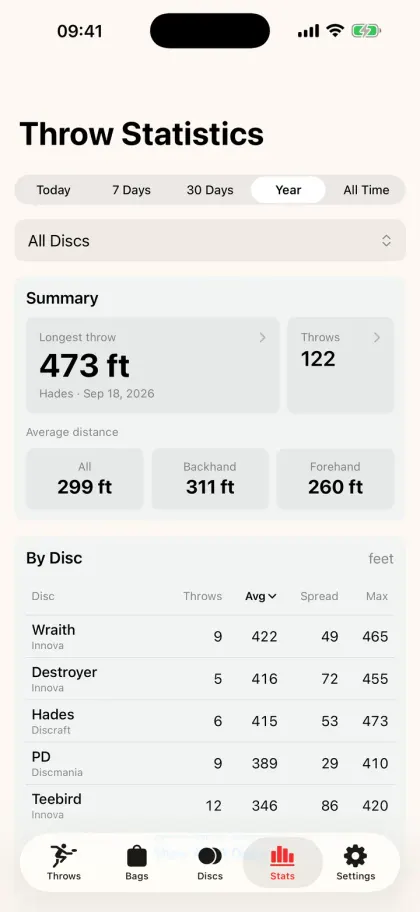
- Statistics by disc and throw type: averages, longest throws, distributions, filters and a dominant throw.
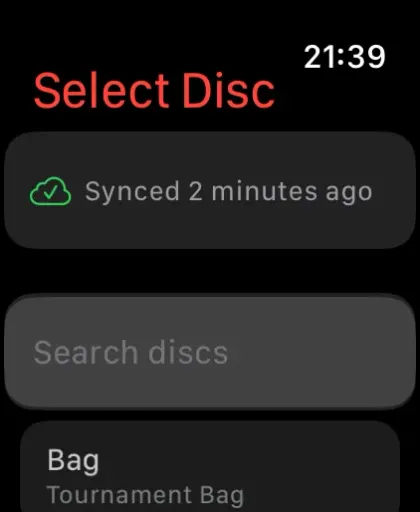
- iCloud sync between iPhone and Apple Watch, disc photos included.
- Distances in metres, yards or feet.
- No account.
DiscScout needs iOS 17 or later. The Watch records throws on its own, and the iPhone app runs on iPad too.
DiscScout questions
How does DiscScout measure a throw?
On Apple Watch, mark where you threw from and where the disc landed. Each point averages a burst of GPS readings, and the next throw starts from the last lie. Undo with a tap, and Double Tap on supported Watch models.
Does DiscScout work without Apple Watch?
The iPhone app charts your bag, plans a throw on the map, records a throw between two points and keeps your statistics. The Watch makes recording hands-free.
Is there a disc catalogue in the app?
No. You type the disc's name, pick a manufacturer from a list of 59 and set its numbers. That keeps the app small and lets you enter a beat-in disc's real numbers. The catalogue on this site is a separate free tool.
Does DiscScout measure wind?
It shows live wind speed and direction from Apple Weather for the planned throw. It does not carry its own anemometer.
How do I cancel a subscription?
Subscriptions are managed by Apple, not by the app. Open Settings → your name → Subscriptions on iPhone, or the App Store's account page, and change or cancel it there.
Where is my data stored?
Your discs, bags and throws are in iCloud, in the app's private database. Watch workouts are saved to Apple Health when you record throws. See the privacy page for the full list of services.
Get it
Try the free tools first
The bag builder and flight chart on this site use the same model. When you want the wrist and the history, DiscScout is on the App Store.