
Know how far you throw every disc.
DiscScout records your throws from Apple Watch, draws how every disc in your bag flies, and tells you which of your discs you've thrown the distance in front of you.
For iPhone and Apple Watch


How far did that throw go?
Tap your Watch where you throw from, then again where the disc lands. DiscScout measures it and saves it with the disc and the throw type, and your phone stays in your bag.
- Each point averages several GPS readings
- The next throw starts where the last one landed
- Sessions are saved to Apple Health as Disc Sports workouts


Which disc for this shot?
Drop two pins on a satellite map to measure the shot. DiscScout adds the live wind and the height difference, then shows the discs you've thrown that far.
- Distance in metres, yards or feet
- Wind speed and direction from Apple Weather
- Your own distances for each disc, backhand and forehand


What's missing from your bag?
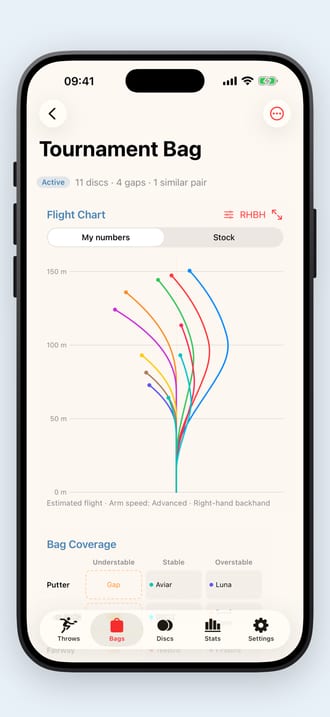
See every disc in your bag drawn at your arm speed. A grid sorts them by speed and by how they finish, so the empty slots and the two discs doing the same job stand out.
- Beginner to pro arm speed, backhand or forehand, either hand
- Give a beat-in disc the numbers it flies with now
- Tap a gap to see which of your discs could fill it


Are you throwing further?
Your average and longest throw with every disc, backhand and forehand, for today, the last week, month or year, or all time.
- Average, spread and longest for each disc
- Filter and edit your throws
- Mark your main throw type


On the course
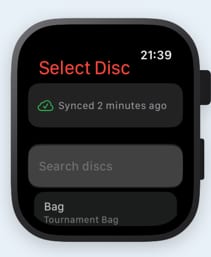
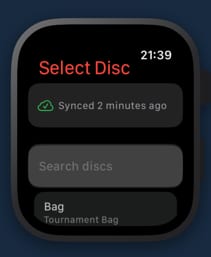
Pick the disc
Your active bag is on the Watch. Choose the disc and the throw.
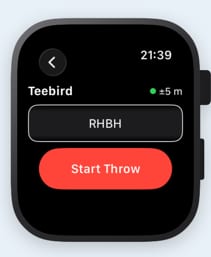
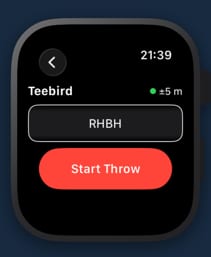
Mark the throw
Tap where you throw from, walk to the disc, tap where it landed.
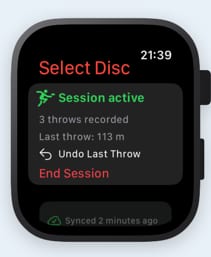
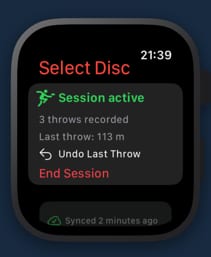
See the session
Every throw syncs to your iPhone, ready for the charts and stats.



Free disc golf tools
The same flight model as the app, in your browser.
- Bag builderChart every disc in your bag at your arm speed and find the gaps.
- Flight chartOne disc at four arm speeds, or up to six discs side by side.
- Flight numbersSpeed, glide, turn and fade for 241 discs, by maker.
- JYLY putting gameScore the Finnish putting game on your phone, for up to four players.
- JYLY scorecardsBlank, guided and four-player cards to print.
- GuidesFlight numbers, stability, building a bag and JYLY scores.

Practise putting with Chains
Our putting app logs every make and miss with one tap and shows your make percentage from every distance. Four drills on iPhone, and JYLY on iPhone and Apple Watch.


Questions
How does it measure a throw?
On Apple Watch, tap where you threw from and again where the disc landed. Each point averages a burst of GPS readings, and the next throw starts from where the last one landed. Tap to undo; Double Tap works on Watch models that have it.
Do I need an Apple Watch?
No. The iPhone app has your bags, the flight charts, the rangefinder and your statistics, and can record a throw between two points. The Watch lets you record without getting your phone out.
Does it have a list of discs?
No. You type the disc's name, pick its maker from 59 and set its numbers, so a beat-in disc can have the numbers it flies with now.
Where does the wind come from?
Apple Weather, for the spot you're measuring on the map.
Does it work in feet?
Yes. Distances can be in metres, yards or feet.
Where's my data?
Discs, bags and throws are in your iCloud account and sync between iPhone and Watch. Throws recorded on the Watch are saved to Apple Health as Disc Sports workouts.
DiscScout
Disc golf tracker for iPhone and Apple Watch.